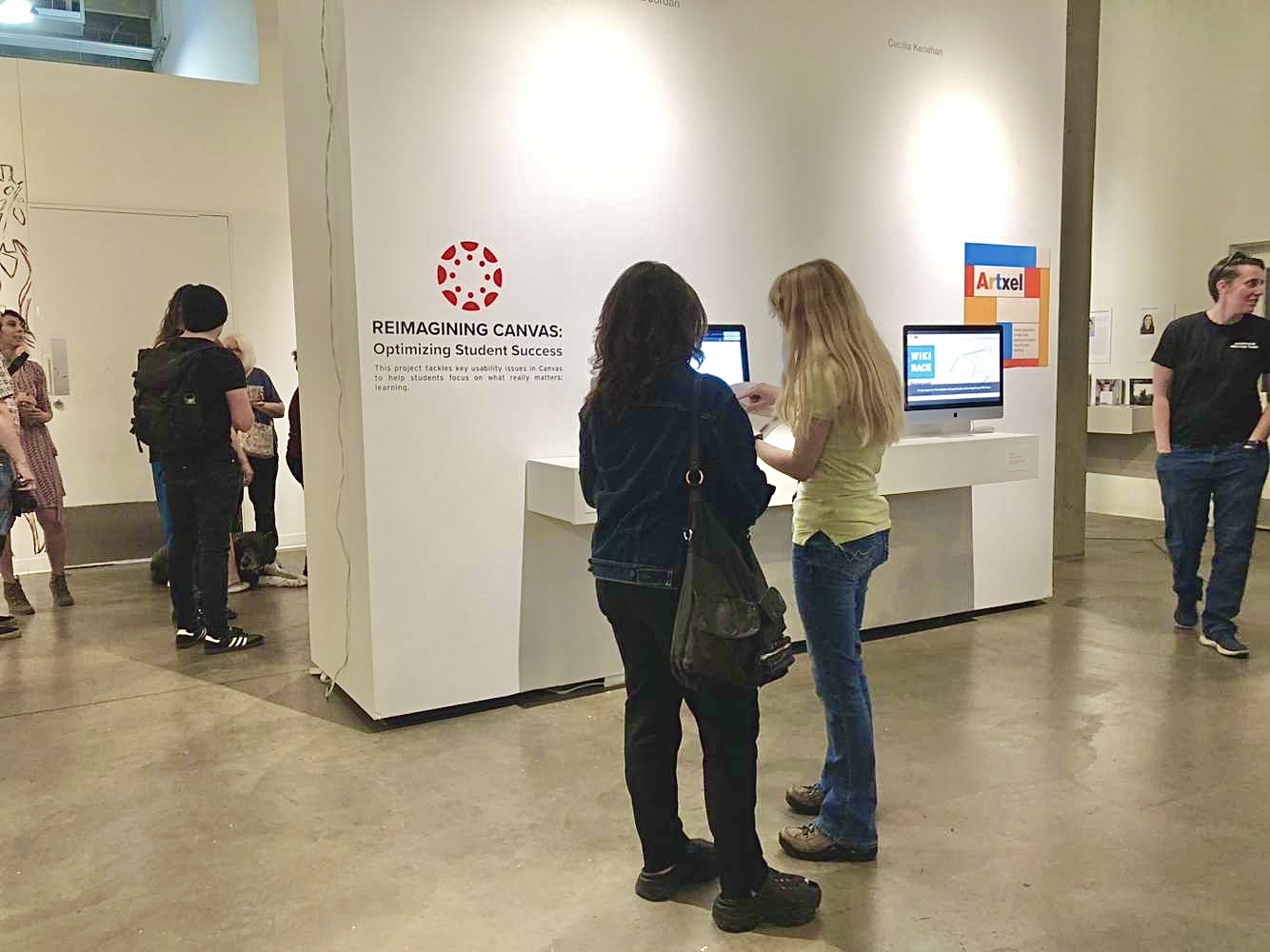
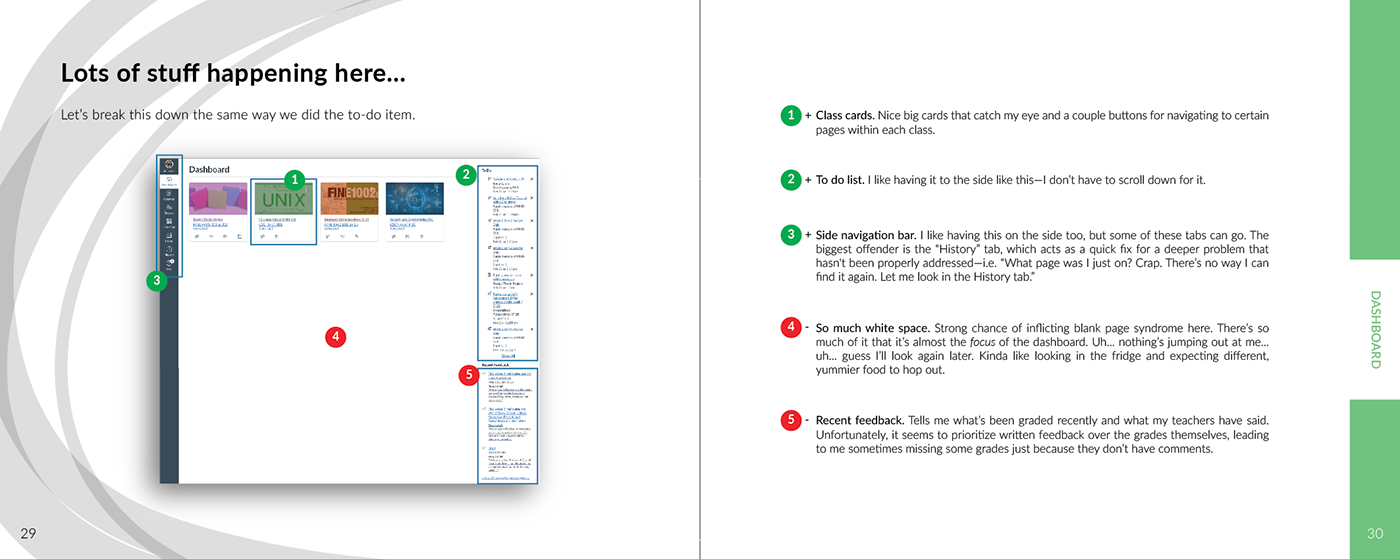
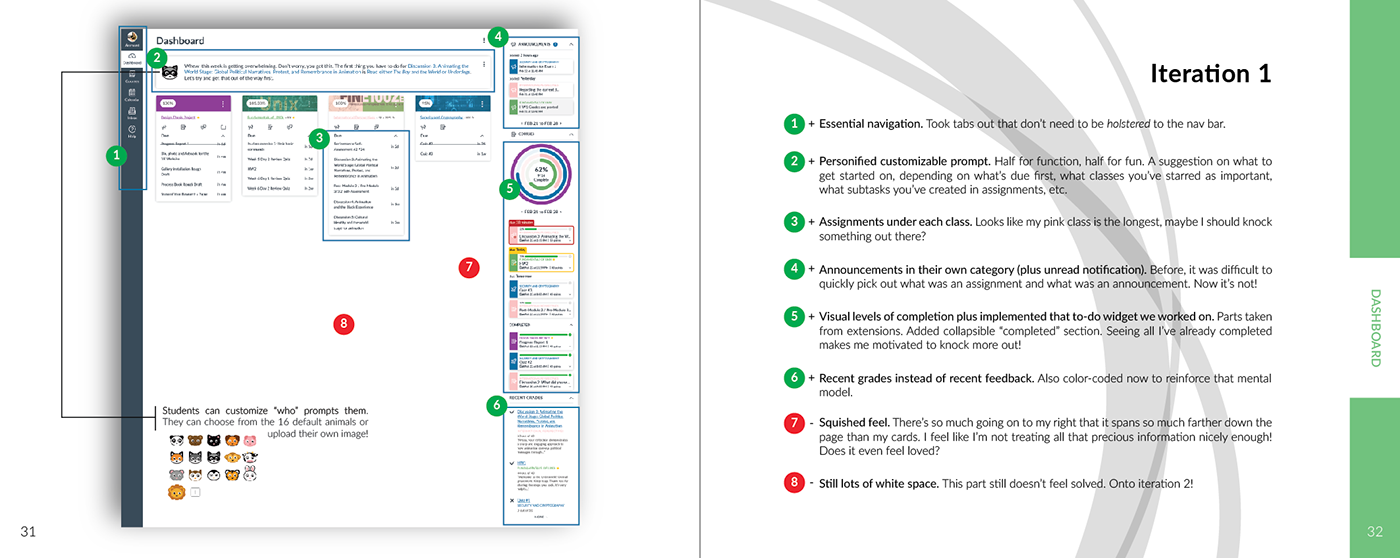
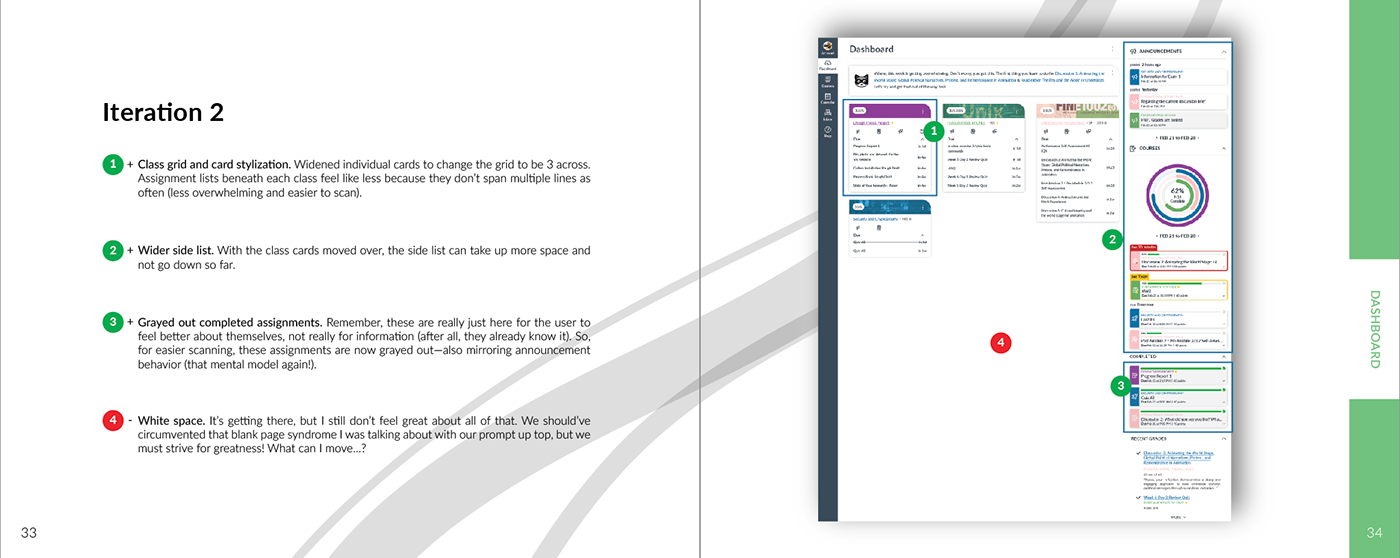
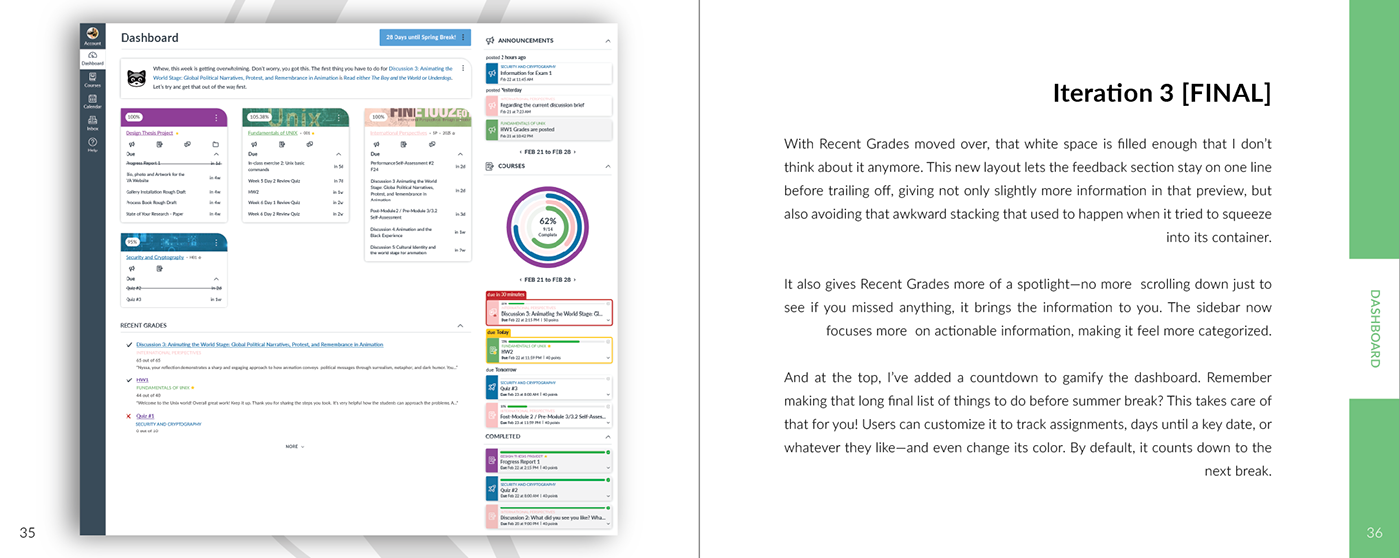
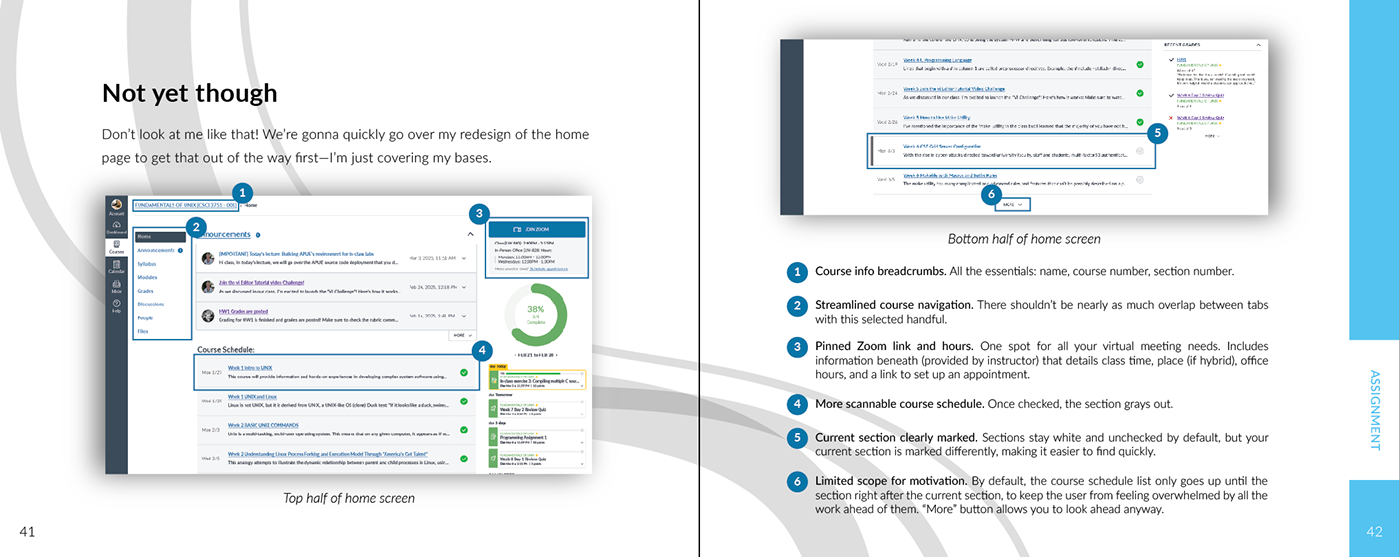
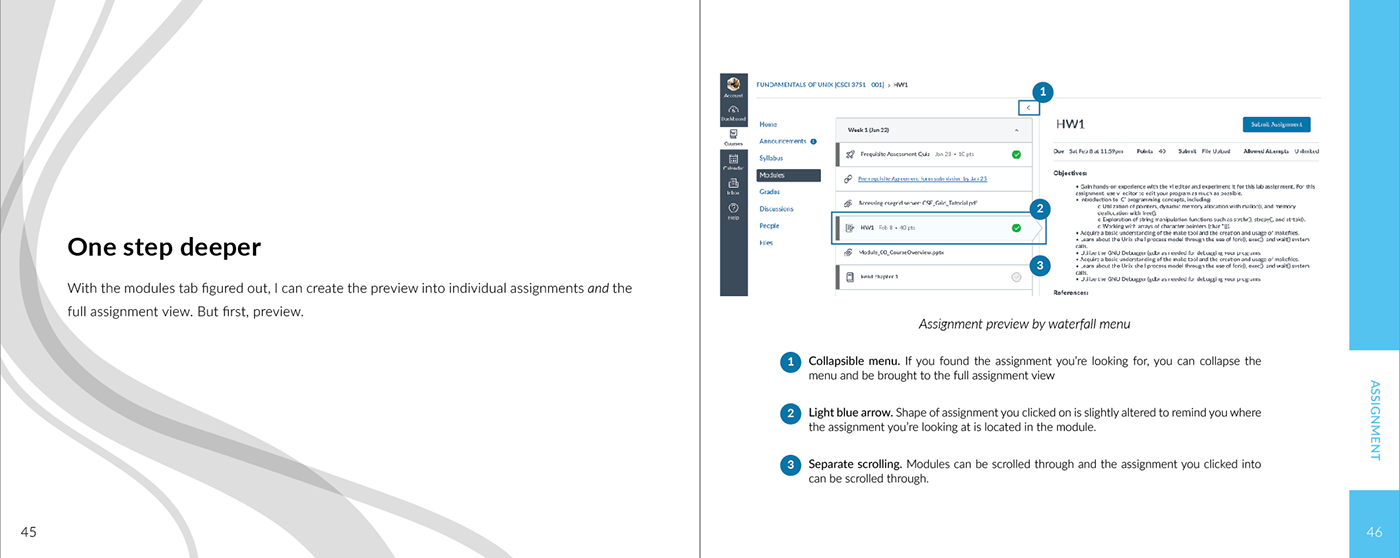
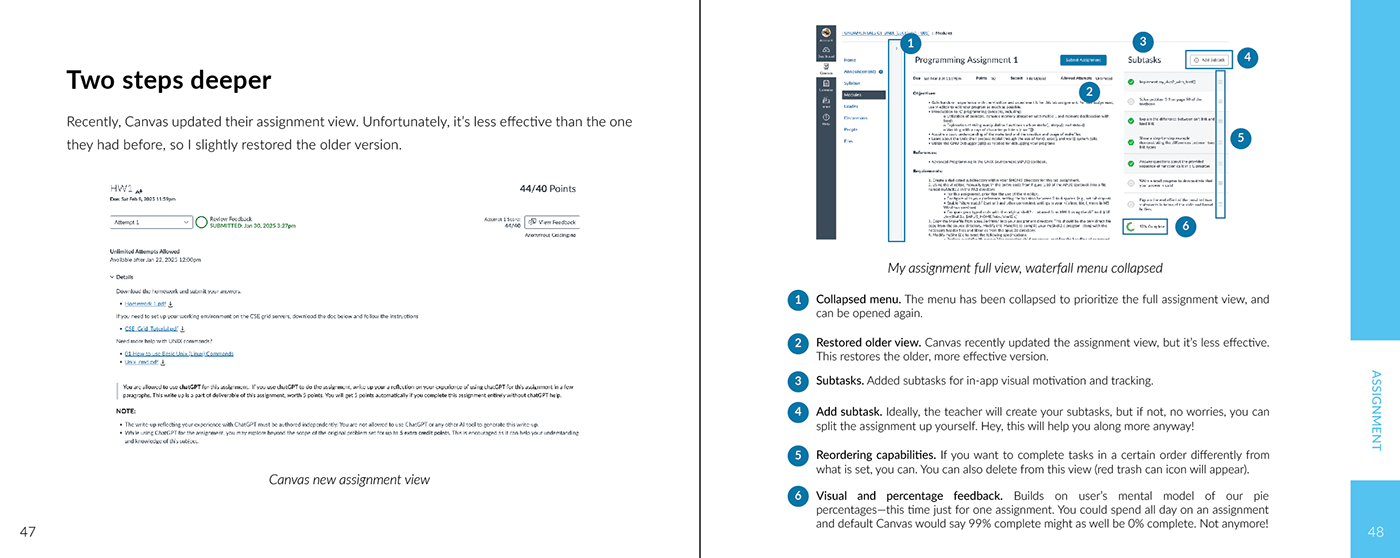
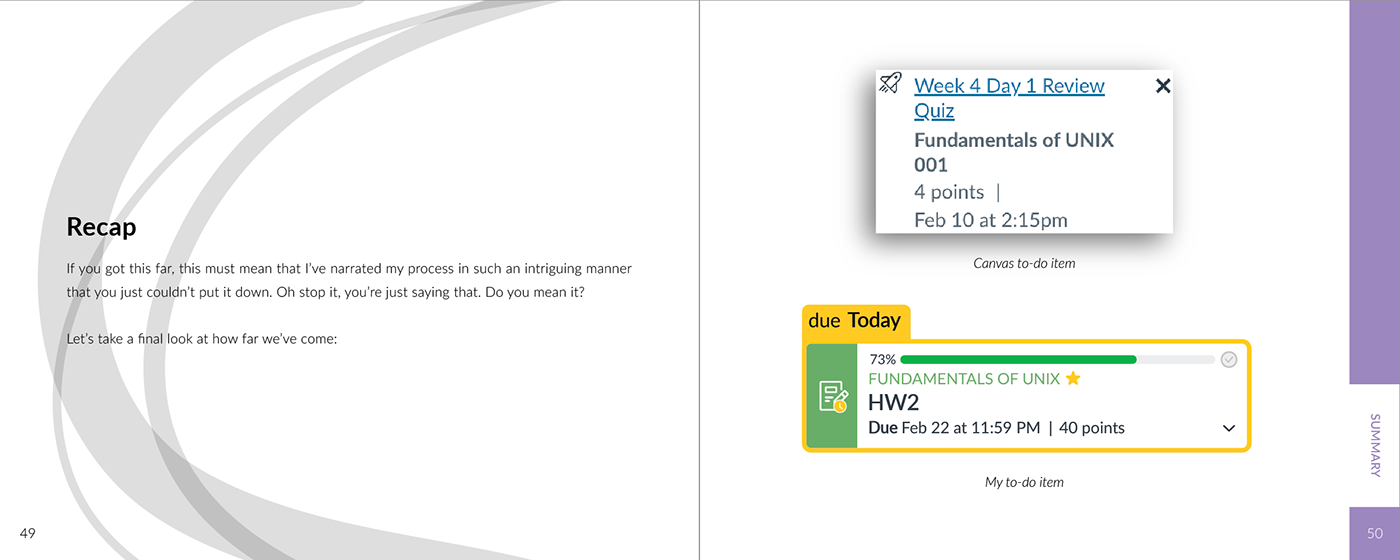
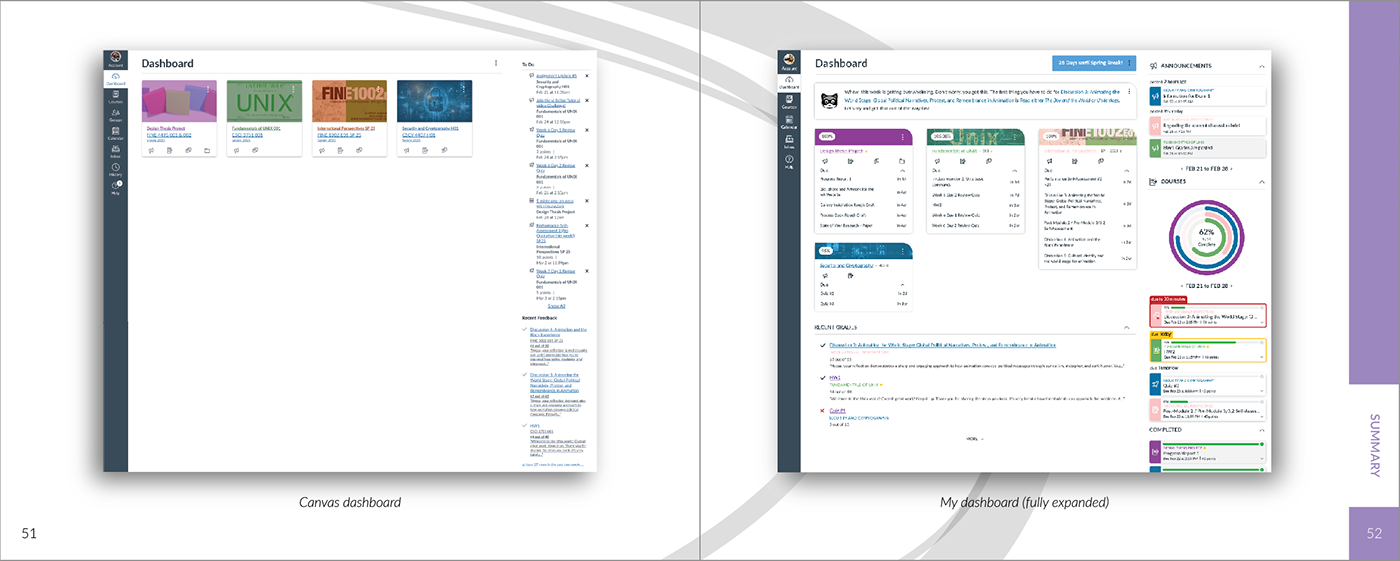
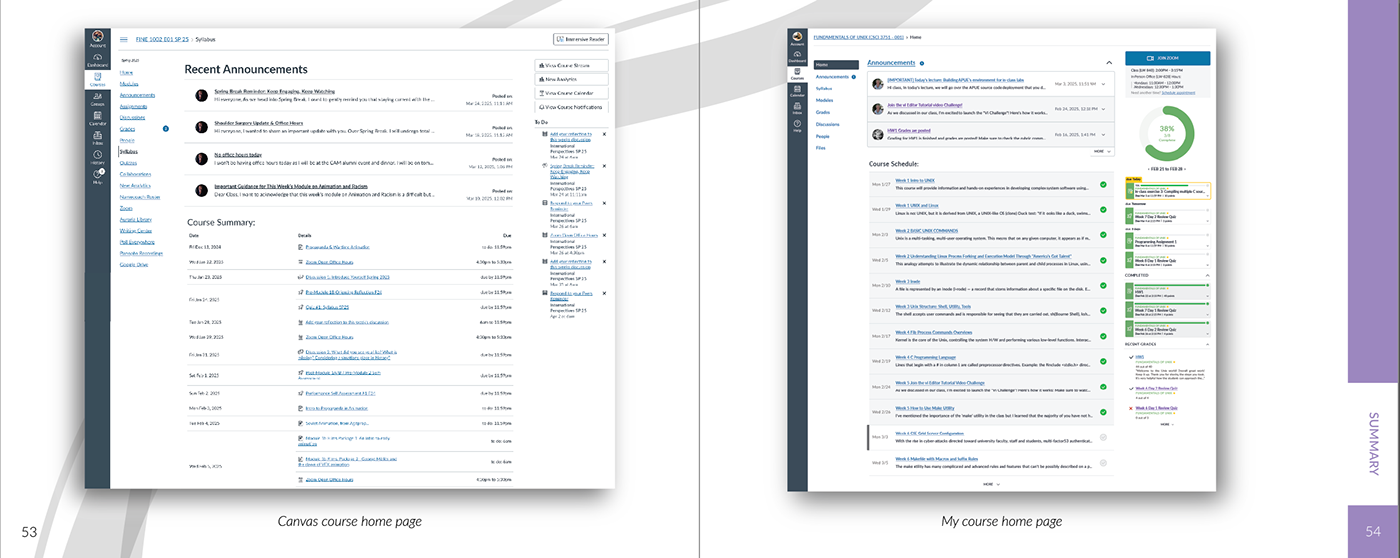
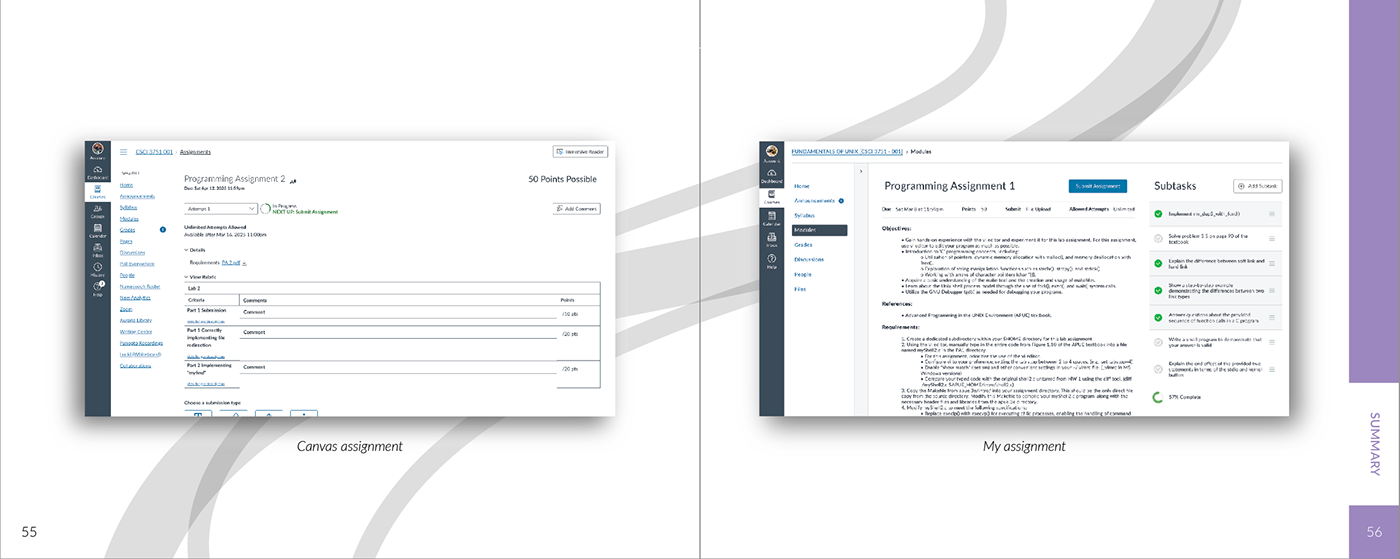
I redesigned the Canvas LMS to reduce friction in how students understand priorities, track progress, and complete assignments. Despite being widely adopted, Canvas often forces students to navigate fragmented views, inconsistent course structures, and unclear task hierarchies. Drawing from years of personal experience and research across diverse student groups, I identified key breakdowns in task management and cognitive load. I focused on redesigning the dashboard, to-do list, and assignment flow using a task-first approach that emphasizes clarity, momentum, and usability. The result is a more intuitive system that helps students focus on what matters and complete work with less friction.
IMPACT
CHALLENGE
Canvas is used by millions of students, but its structure often reflects how institutions organize courses, not how students complete work. Tasks are spread across multiple views, priorities are unclear, and workflows require unnecessary context switching. For many students, especially those balancing work, family, or accessibility needs, this creates avoidable friction in everyday academic tasks.
APPROACH
SOLUTION
OUTCOME
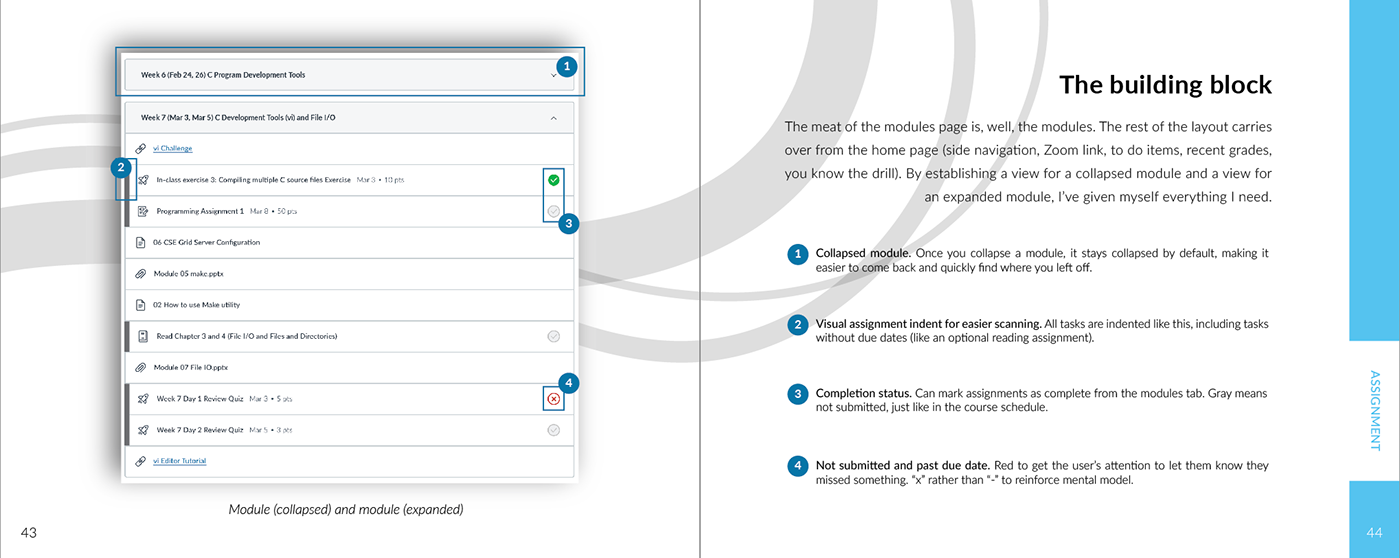
The redesign creates a clearer sense of priority, reduces friction between steps, and aligns the interface with how students actually plan and complete work. Instead of navigating the system, students can focus on making progress.
Full process, research, and iterations are documented below.
I developed multiple logo directions that approached the concept from different angles, varying how prominently hockey elements, repair references, and character-driven visuals were used.
These explorations helped identify what felt most aligned with the business, while also giving the client options to respond to.
Take a look at my resume!